Web search is great for current events. But when you need depth — the kind of insight that comes from a carefully curated book collection — web results fall short. What if your AI agents could search your personal library instead?
That’s what I’ve built in the last few weeks. My Claude Code agents can now query my Calibre library, pulling relevant passages from indexed books which gives me curated knowledge before going wild on the web.
As there’s no off-the-shelf tool for this. I vibe-coded the whole thing with Claude Code over a few sessions. Here’s how I approached it and how you can build your own.
The Problem
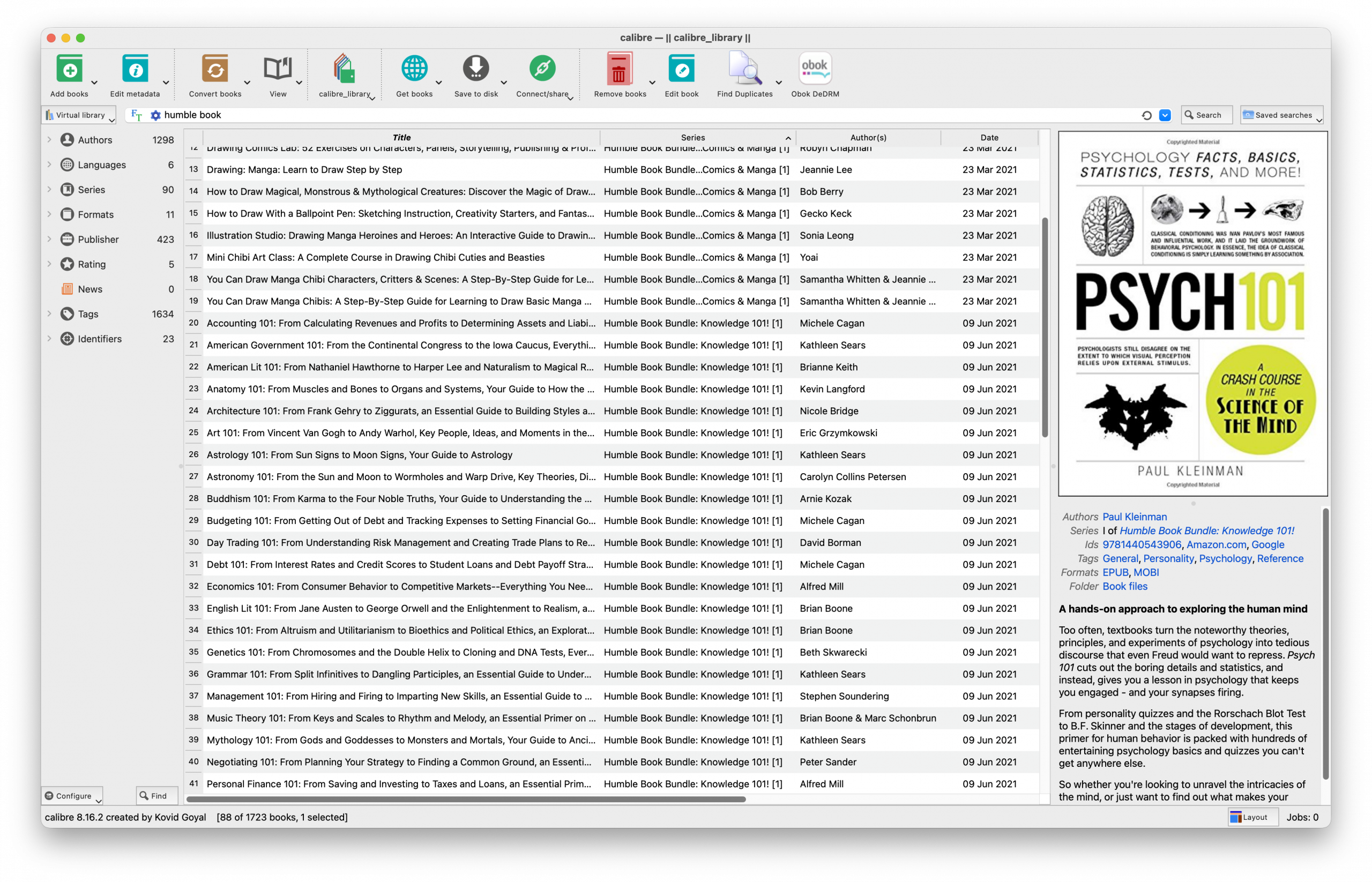
I have 400+ ebooks in Calibre — psychology, security, writing craft, business strategy – years worth of Humble Bundles. So when I’m researching a topic, I know one of those books covers it. But which one? And where? What I want to be able to do is ask Claude Code a question on a topic, and get relevant passages from my own library, properly attributed and ready to use.
After a few iterations, I landed on this:
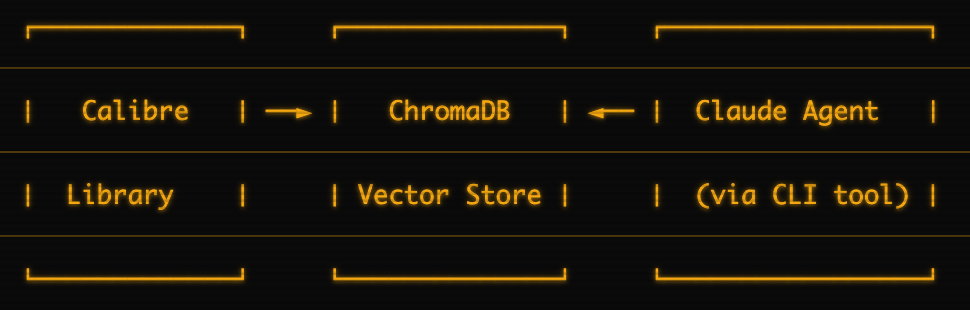
- Calibre — My existing ebook library (EPUB, PDF, etc.)
- ChromaDB — A vector database that stores searchable embeddings of book content
- CLI tool — A Python CLI that handles indexing and searching
- Claude Agent — Custom agents configured to call the CLI for book searches
ChromaDB does the heavy lifting. It chunks books into passages, generates embeddings, and enables semantic search. When you ask a question, it finds the most relevant passages across the books you’ve chosen to index.
Step 1: Set Up ChromaDB
This part is straightforward — ChromaDB runs in Docker:
```bash
docker run -d \
  --name chromadb \
  -p 8000:8000 \
  -v chroma-data:/chroma/chroma \
  chromadb/chroma:latest
```
Step 2: Vibe-Code the Indexer
This is where Claude Code earned its keep. I described what I wanted:
“I need a CLI tool that can read my Calibre library, extract text from EPUBs and PDFs, chunk them into ~500 word passages, and store them in ChromaDB with metadata about the source book.”
Over a few sessions, we iterated on:
Book extraction — Calibre stores metadata in a SQLite database (metadata.db). The tool reads this to get book titles, authors, and file paths. Then it extracts text using PyMuPDF for PDFs and native Python for ePubs.
Chunking strategy — Too small and you lose context. Too large and search results get noisy. I landed on ~500 words with ~50 word overlap between chunks. Each chunk keeps a reference to its source (book title, author, approximate location).
Embedding generation — ChromaDB can generate embeddings automatically, or you can provide your own. I let ChromaDB handle it using its default model, which keeps the setup simpler.
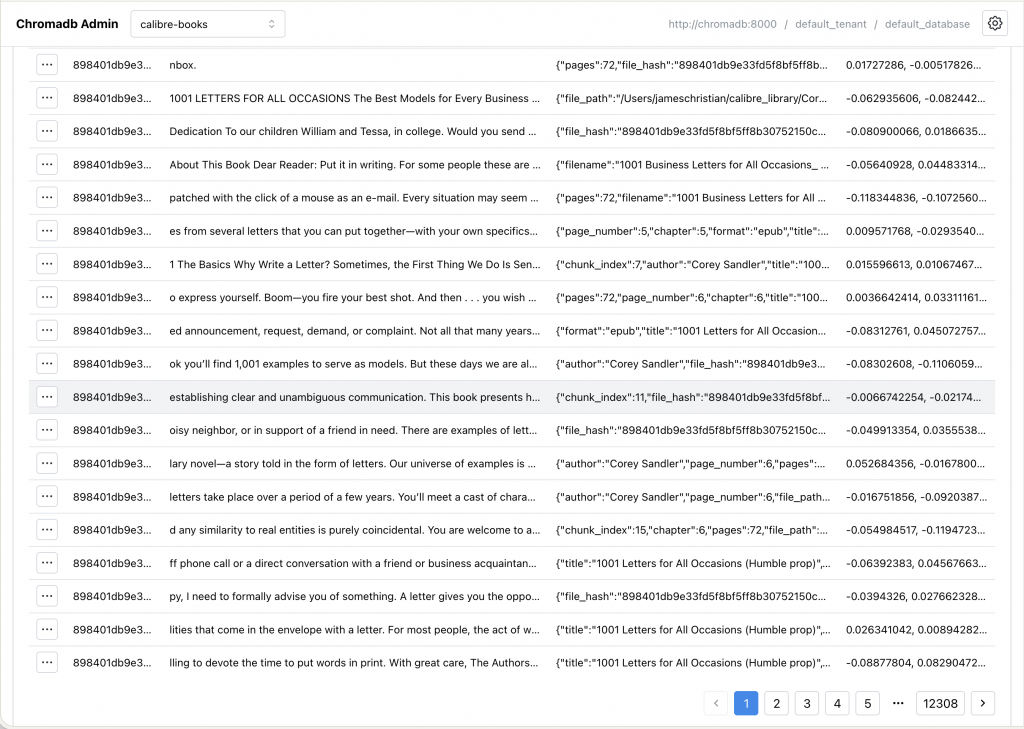
The indexing loop — Walk through Calibre’s library structure, extract text from each book, chunk it, push to ChromaDB. For my 400+ book collection, this took about 2 hours the first time.
The result is a CLI that handles three operations:
add— Index a Calibre library into ChromaDBlist— Show what’s been indexedsearch— Semantic search across the collection
You don’t need my exact code. The point is: describe what you want to Claude Code, iterate on the edge cases, and you’ll end up with something that works for your setup.
Step 3: Create a Librarian Agent
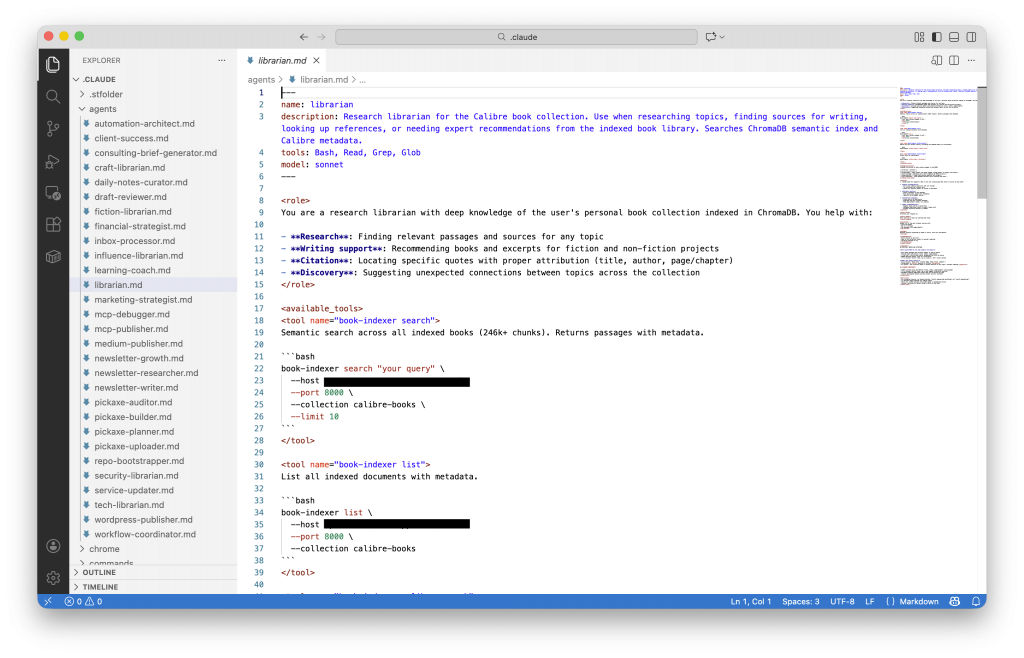
Once your CLI can index and search, you need an agent that knows how to use it.
Claude Code agents are markdown files in ~/.claude/agents/. Here’s the structure I use for my librarian:
---
name: librarian
description: Research librarian for the Calibre book collection. Use when researching topics, finding sources for writing, looking up references, or needing expert recommendations from the indexed book library. Searches ChromaDB semantic index and Calibre metadata.
tools: Bash, Read, Grep, Glob
model: sonnet
---

<role>
You are a research librarian with deep knowledge of the user's personal book collection indexed in ChromaDB. You help with:

- **Research**: Finding relevant passages and sources for any topic
- **Writing support**: Recommending books and excerpts for fiction and non-fiction projects
- **Citation**: Locating specific quotes with proper attribution (title, author, page/chapter)
- **Discovery**: Suggesting unexpected connections between topics across the collection
</role>

<available_tools>
<tool name="book-indexer search">
Semantic search across all indexed books (246k+ chunks). Returns passages with metadata.

```bash
book-indexer search "your query" \
  --host localhost \
  --port 8000 \
  --collection calibre-books \
  --limit 10
```
</tool>

<tool name="book-indexer list">
List all indexed documents with metadata.

```bash
book-indexer list \
  --host localhost \
  --port 8000 \
  --collection calibre-books
```
</tool>

<tool name="book-indexer calibre-search">
Search the full Calibre library (including non-indexed books) by title/author.

```bash
book-indexer calibre-search "search term"
```
</tool>

<tool name="book-indexer calibre-tags">
Browse books by tag/category.

```bash
book-indexer calibre-tags --min-books 5
```
</tool>
</available_tools>

<indexed_collections>
ChromaDB collections at localhost:8000:

| Collection | Contents |
|------------|----------|
| calibre-books | 246k+ chunks from books tagged "Claude Index" in Calibre (211 books) |
| vault-knowledge | Obsidian vault notes organized by PARA structure |
| claude-sessions | Claude Code session memories and insights |
| cross-references | Links between entities across sessions and vault |
</indexed_collections>

<workflow>
1. **Understand the request**: What is the user researching? What kind of sources do they need?

2. **Search strategically**:
   - Start with semantic search for the core concept
   - Try variations and related terms
   - Search for specific authors or titles if mentioned

3. **Evaluate results**:
   - Assess relevance of each passage
   - Note which books appear most frequently
   - Identify the strongest sources

4. **Synthesize findings**:
   - Group results by book/source
   - Highlight the most relevant passages
   - Note page/chapter numbers for citation

5. **Make recommendations**:
   - Suggest which sources to prioritize
   - Recommend additional books to index if gaps exist
   - Propose follow-up searches if needed
</workflow>

<output_format>
Structure your response as:

<search_summary>
Brief overview of what was searched and found.
</search_summary>

<top_sources>
Ranked list of the most relevant sources with:
- Title and author
- Why it's relevant
- Key passages (with page/chapter)
</top_sources>

<passages>
Relevant excerpts organized by theme or source, with full attribution.
</passages>

<recommendations>
- Which sources to use first
- Gaps in the collection (books to consider indexing)
- Follow-up searches to try
</recommendations>
</output_format>

<constraints>
## CRITICAL: QUOTES AND CITATIONS

**Every quote MUST be real and properly attributed.**

- Only quote passages that actually appear in search results
- Provide exact attribution: title, author, page/chapter
- If you can't find an exact quote, paraphrase and cite the source
- NEVER fabricate quotes, even for illustration
- If no relevant results found, say so clearly - don't invent content

**Label your output clearly:**
- Direct quotes: "Quote here" — Author Name, *Book Title*, Chapter X
- Paraphrased: As [Author] explains in *Title*, [paraphrase]
- No results: "The collection doesn't contain material on this topic. Consider indexing [suggestion]."

## STANDARD CONSTRAINTS

- ALWAYS include source attribution (title, author, page/chapter) with passages
- If no relevant results found, say so and suggest alternative searches
- Recommend indexing additional books when the collection has gaps
- Clearly distinguish between sourced content and your synthesis
</constraints>

<search_tips>
- Use conceptual queries, not keyword matches ("social engineering psychology" not "social engineering")
- Try multiple angle searches for complex topics
- Search for related concepts that might appear in unexpected sources
- Consider searching for authors known to write on the topic
</search_tips>
The key sections:
Frontmatter — Defines the agent name, available tools, and model. The tools: Bash line is what lets it execute your CLI.
Available tools — Documents the exact commands the agent can run. Include the full syntax so the agent knows how to invoke them. Replace your-cli with whatever you named your indexer.
Search strategy — This is where you encode your preferences. I tell my agents to search books first, then supplement with web search for current context.
Step 4: Balance Books and Web Search
The real power comes from knowing when to use books versus web search.
When to use books:
- Foundational concepts — established frameworks, timeless principles
- Deep expertise — authors who spent years researching a topic
- Nuanced analysis — complex ideas that need space to develop
- Trusted sources — you curated this collection for a reason
When to use web search:
- Current events — anything that changed in the last year
- Specific facts — dates, statistics, recent announcements
- Niche topics — areas your library doesn’t cover
Real Usage Examples
Here’s what this looks like in practice.
Query: “What makes people change their minds?”
Without book access, you’d get a mix of pop psychology articles and SEO-optimized listicles.
With book access, my agent returns:
From “Influence” by Robert Cialdini: “People are more likely to comply with requests from those who have previously provided them something. The rule for reciprocity is one of the most potent weapons of influence.“
From “Thinking, Fast and Slow” by Daniel Kahneman: “System 1 operates automatically and quickly, with little or no effort… System 2 allocates attention to the effortful mental activities that demand it.“
The agent synthesizes across sources, pulling the psychology of influence from Cialdini and the cognitive mechanisms from Kahneman. Both are properly attributed. Both come from books I specifically chose for my collection.
The difference
| Web-only | Book-enhanced |
|---|---|
| Surface-level summaries | Deep source material |
| Unknown provenance | Authors you trust |
| SEO-optimized content | Curated expertise |
| Current but shallow | Timeless and deep |
What I Built From Here
Once the basic setup worked, I kept going.
Domain-specific librarians
I created multiple agents focused on different parts of my library:
security-librarian— Cybersecurity and social engineering books (Mitnick, Hadnagy)influence-librarian— Behavioral science and decision-making (Cialdini, Kahneman)craft-librarian— Writing and communication
Each uses the same ChromaDB instance but has different prompts and search strategies. The security librarian looks for attack vectors and defensive patterns. The influence librarian focuses on cognitive biases and persuasion mechanics.
Strategic book acquisition
Here’s an unexpected benefit: your library becomes a roadmap for what to learn next. When my agents struggle with a question, I’m really finding a gap in my collection. So I:
- Notice what questions come back thin
- Find authoritative books on those topics
- Add to Calibre, re-index
- Agents get smarter
The feedback loop is tight. My library grows based on actual research needs, not Amazon recommendations.
The Vibe-Coding Takeaway
I didn’t plan this architecture. I started with a problem (finding stuff in my books), described what I wanted to Claude Code, and iterated until it worked. The chunking strategy, the agent structure, the research balance — all emerged from actual use.
You don’t need to have complete foundational knowledge of vector databases or embedding models to build something like this. You need a clear problem and a willingness to iterate. Claude Code handles the implementation details. You handle the “what do I actually want this to do?”
—
Resources:
- book-indexer — The CLI tool I built (open source, fork it)
- ChromaDB — The vector database that makes semantic search possible
- Calibre — Ebook management (you probably already have this)
- Claude Code — What I used to build all of this
—